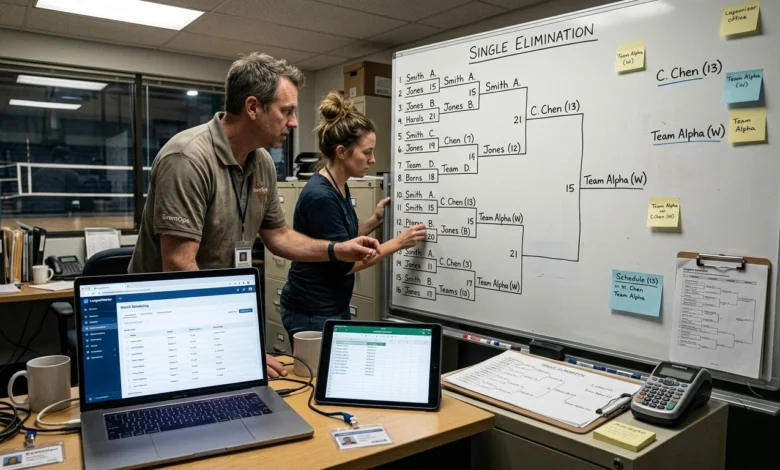
Running a tournament involves more than placing participants into a bracket. Organizers may need to register players or teams, assign seeds, schedule matches, record scores, update standings, and handle changes as the competition progresses. Tournament software brings these tasks into one system so organizers can manage the competition without maintaining separate spreadsheets, brackets, and result records.
The right platform depends on the tournament format, number of participants, scheduling requirements, and level of organizer control needed.
Table of Contents
What Tournament Software Handles for Tournament Organizers
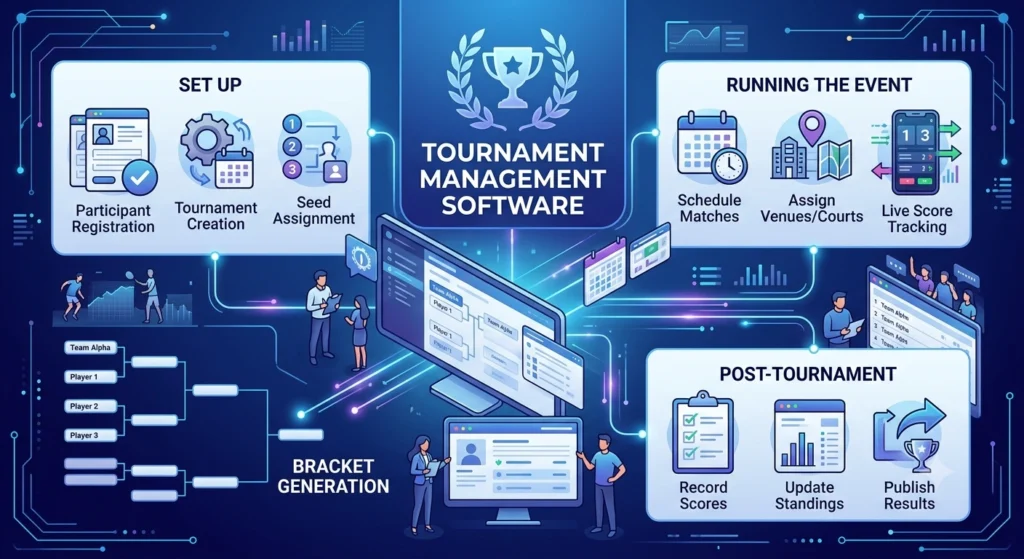
Tournament software is designed to manage the operational side of a competition. Instead of creating brackets manually and tracking every result separately, organizers can use one platform to manage participants, matchups, schedules, and results.
Depending on the platform, common functions can include:
- Player and team registration
- Tournament creation
- Seeding and participant placement
- Bracket generation
- Match scheduling
- Score entry
- Standings and rankings
- Participant management
- Bracket updates
- Tournament result publishing
The most useful platforms connect these functions. For example, when a match result is recorded, the winner may automatically advance to the appropriate next-round matchup.
Features vary between platforms, so organizers should verify that the software supports the specific competition format and workflow they plan to use.
How to Create a Tournament With Tournament Management Software
Most tournament management platforms follow a similar setup process, although the available settings differ.
1. Create the Tournament
Start by entering the basic competition information, such as the tournament name, dates, location, and applicable settings.
For online competitions, the platform may also provide options for publishing tournament information and communicating results to participants.
2. Select the Tournament Format
Choose the format that matches the competition.
Common options include:
- Single elimination
- Double elimination
- Round robin
- Group or pool play
- Knockout stages
- Combination formats
The format determines how participants progress through the competition and how matches are arranged.
3. Add Players or Teams
Enter participants individually or create teams where the competition requires team-based play.
Depending on the platform, registration may be handled manually by an organizer or through an online registration process.
Participant information should be reviewed before the bracket is generated. Incorrect names, duplicate entries, or missing participants can create problems later.
4. Configure Seeding and Match Settings
Seeding determines how participants are placed within the competition structure.
An organizer may need to assign seeds manually, use rankings, or allow the platform to determine placement according to available settings.
Other match settings can include scoring rules, match duration, number of rounds, or venue assignments.
5. Generate the Bracket or Schedule
After participants and settings are confirmed, the software can generate the competition structure.
Depending on the format, this may produce a bracket, a round-robin schedule, groups, or a combination of stages.
Review the generated structure before matches begin to ensure participants, seeds, byes, and matchups are correct.
6. Enter Match Results
As matches are completed, organizers can record scores and winners.
The result information can then update the bracket, standings, or next-round matchups where supported.
Keeping results updated promptly helps participants and spectators see the current state of the competition.
How Tournament Bracket Software Creates and Manages Matchups
Tournament bracket software is particularly useful when a competition involves multiple elimination rounds.
Instead of manually drawing a bracket and moving winners between rounds, the software can organize matchups according to the selected format.
Single-Elimination Brackets
In a single-elimination competition, a participant normally leaves the tournament after losing a match. Winners progress through successive rounds until the final matchup determines the champion.
Software can organize these rounds and place winners into their next scheduled match.
Double-Elimination Brackets
Double elimination provides participants with another opportunity after their first loss. The competition is generally divided into winners’ and losers’ paths, with the exact structure depending on the rules being used.
A platform must support this format correctly before organizers rely on automatic bracket progression.
Round-Robin Scheduling
A round-robin competition is structured around participants playing multiple opponents rather than being eliminated after a single loss.
The software can help generate match schedules and track results so standings can be calculated according to the competition’s rules.
Seeding and Byes
When the number of participants does not fit evenly into a bracket, byes may be required.
Seeding can also determine which participants meet in early rounds. Organizers should review the generated bracket to make sure seeds and byes reflect the intended competition rules.
Managing Tournament Players, Teams, Seeding, and Byes
Participant management becomes more important as the size of a competition increases.
A tournament platform can provide a central place to maintain player or team information and control how participants enter the competition.
Organizers may need to:
- Add or remove participants
- Correct player information
- Create and edit teams
- Assign seeds
- Handle withdrawals
- Replace or adjust participant entries
- Review bracket placement
- Manage byes
Changes should be made before the affected matches begin whenever possible. If a tournament is already underway, altering a participant or matchup can affect later rounds and standings.
For this reason, organizers should check the participant list and bracket carefully before publishing the final competition schedule.
Also Read: Family Tree Maker Software: Create Organize and Manage Your Family Tree
Scheduling Matches and Recording Tournament Results
Scheduling is closely connected to bracket management. A competition may have several rounds taking place at different times or across multiple courts, fields, tables, or venues.
Tournament management software can help organizers assign matches to available times and locations and keep the schedule visible to participants.
Useful scheduling information may include:
- Round number
- Match number
- Start time
- Court, field, or venue
- Participants
- Match status
- Score
- Winner
After a match finishes, entering the result should update the relevant competition records. In bracket-based tournaments, the winner may then be placed into the next available matchup.
For larger competitions, keeping the schedule and results in one system reduces the need to update several separate records.
Handling Bracket Changes, Withdrawals, and Incorrect Results
Tournament conditions can change after the competition starts. A participant may withdraw, a team may be disqualified, a match may be postponed, or an organizer may discover that a score was entered incorrectly.
Before changing an active bracket, check how the software handles completed and upcoming matches.
For an incorrect score, the preferred process is usually to correct the original result rather than manually changing several later matchups. The exact procedure depends on the platform.
When a participant withdraws, the organizer may need to determine whether the affected matchup should become a bye, be reassigned, or follow a specific tournament rule.
The important point is to preserve an accurate record of what happened. Bracket changes should reflect the official competition rules rather than simply making the displayed bracket look correct.
How to Choose Tournament Management Software for Your Competition
The best choice depends on the size and format of the competition rather than the number of features listed on a product page.
| Requirement | Software capability to evaluate |
|---|---|
| Participant management | Player and team registration |
| Bracket management | Support for required tournament formats |
| Seeding | Manual or ranking-based seeding |
| Scheduling | Match, venue, and time management |
| Results | Score and winner updates |
| Large competitions | Capacity for the expected number of participants |
| Organizer control | Bracket editing and correction options |
| Sharing | Public brackets, standings, or results |
| Data management | Export and backup options |
For a small single-elimination competition, straightforward registration and bracket generation may be enough.
A larger league or multi-stage competition may require participant registration, multiple formats, scheduling, venue management, standings, result tracking, and greater control over changes.
Before selecting a platform, confirm the supported tournament formats and check whether the workflow matches the way the competition will actually be run.
FAQs
What is tournament software?
This platform used to organize and manage competitions. It can handle tasks such as participant registration, bracket creation, scheduling, seeding, match results, standings, and tournament administration.
What does tournament management software do?
Tournament management software helps organizers manage the operational tasks involved in running a competition, including participants, teams, schedules, brackets, scores, standings, and results.
What is tournament bracket software?
Tournament bracket software creates and manages competition brackets. Depending on the platform, it may support single elimination, double elimination, round robin, group stages, seeding, byes, and automatic advancement.
Can tournament software create brackets automatically?
Many platforms can generate brackets after participants and tournament settings have been entered. The available formats and automatic options depend on the software.
Can this software handle single and double elimination?
Some platforms support both formats. Organizers should check the supported competition formats before choosing software because bracket structures can vary between platforms.
Can organizers change a tournament bracket after matches begin?
Some platforms allow organizers to correct or modify active brackets. However, changes can affect later matchups and standings, so they should follow the competition’s official rules and the software’s capabilities.
Conclusion
The right tournament software can simplify participant management, bracket creation, seeding, scheduling, match results, and standings from one central system. The most important factors are support for the required tournament format, participant capacity, bracket controls, scheduling options, result management, and the ability to handle changes during the competition.