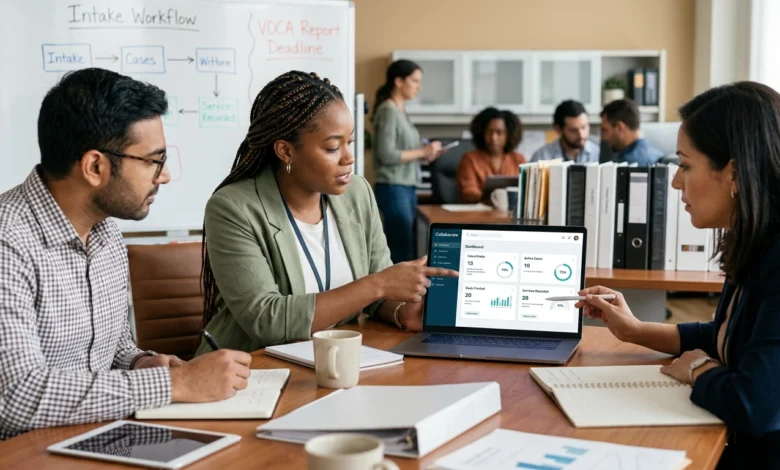
Collaborate software is a cloud-based case management platform developed by Network Ninja for nonprofits, government programs, and social service organizations.
It helps organizations collect client information, manage cases, record services, track goals, store documents, communicate securely, and prepare reports for managers and funding agencies.
The platform is built for organizations that manage sensitive client records and complex service programs. Common users include Children’s Advocacy Centers, domestic violence shelters, housing programs, victim service providers, youth programs, health organizations, treatment centers, and community support agencies.
Unlike a basic customer relationship management platform, Collaborate is designed around human services workflows. It can be configured according to an organization’s existing intake forms, programs, reporting requirements, services, and staff permissions.
Table of Contents
What Is Collaborate Software?
Itis customizable social services case management software.
It provides one central location for managing information from the first client intake through service delivery, goal tracking, case notes, outcomes, and final reporting.
The platform can replace disconnected spreadsheets, paper files, shared folders, and separate databases. Staff members can access current case information through a web browser without installing software on individual computers.
A typical organization may use the system to:
- Register a new client
- Create an intake record
- Record household or associated-person details
- Assign a caseworker
- Add case notes
- Schedule appointments
- Record services
- Upload documents
- Collect electronic signatures
- Set client goals
- Track progress
- Manage referrals
- Record case outcomes
- Generate funder reports
Collaborate can also support several programs within the same organization. Each program may have its own intake questions, service types, staff assignments, client enrollment rules, reports, and access permissions.
Who Should Consider Collaborate?
The platform is intended for organizations that manage clients, cases, services, activities, and reporting requirements.
It may be suitable for:
- Children’s Advocacy Centers
- Domestic violence programs
- Sexual assault service providers
- Homeless shelters
- Housing assistance programs
- Family service centers
- At-risk youth programs
- Substance abuse treatment programs
- Health and wellness organizations
- Corrections departments
- Veterans’ support offices
- Crisis intervention programs
- College victim service departments
- Statewide nonprofit networks
- Community assistance programs
These organizations often collect information that must be shared carefully between caseworkers, supervisors, program managers, medical staff, advocates, partner agencies, and funding bodies.
It may be especially useful when an organization has outgrown spreadsheets or is using several systems that do not share information properly.
It may also suit statewide networks that need standardized data collection across member organizations while allowing each site to manage its own clients and services.
How the Client Intake and Case Workflow Works
A useful case management platform should support the entire client journey rather than storing isolated records.
Collaborate can be configured around the following workflow.
Client Intake
Staff can create an intake that records the information required by the organization.
This may include:
- Client name
- Contact details
- Demographics
- Household information
- Referral source
- Presenting needs
- Eligibility information
- Allegations
- Risk factors
- Consent records
- Program enrollment
The required fields can be adjusted for different programs.
A housing service may need information about living arrangements and income. A Children’s Advocacy Center may need caregiver, alleged offender, referral, and allegation information. A university victim service program may need student, housing, and faculty-related fields.
External forms can also allow clients or partner organizations to submit information through a secure link or embedded website form. The submitted details can then be reviewed and connected with a case, service, or activity record.
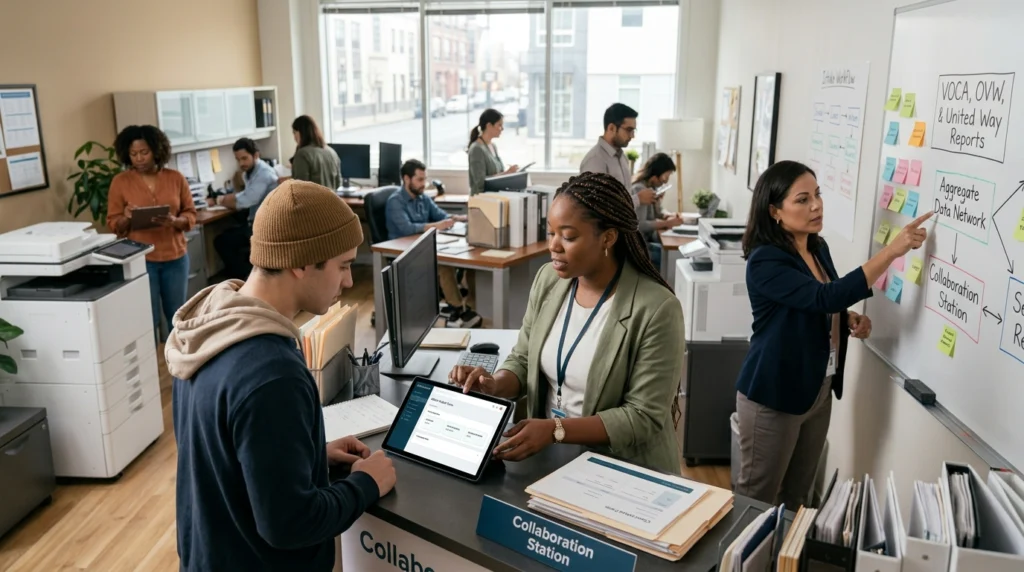
Case Assignment
After intake, the case can be assigned to the correct staff member, department, location, or program.
Supervisors can use assignments and permissions to control who is responsible for the case and who can view its information.
Cases may also include:
- Tasks
- Due dates
- Alerts
- Appointments
- Case notes
- Documents
- Referrals
- Service history
- Goal plans
This gives staff a complete timeline instead of requiring them to search through emails and separate folders.
Service Recording
Organizations can record each service provided to a client.
Examples may include:
- Family advocacy
- Mental health support
- Medical examinations
- Forensic interviews
- Housing assistance
- Legal support
- Court services
- Therapy sessions
- Transportation
- Referrals
- Employment coaching
- Support groups
- Crisis intervention
Services can be configured according to the organization’s work.
The information recorded in a service form can also be mapped to reporting fields. This helps the organization include completed services in funder and program reports without recounting them manually.
Goal and Outcome Tracking
Some organizations need to measure progress over several weeks or months.
A goal plan may be used to track milestones such as:
- Finding stable housing
- Completing treatment
- Attending counseling
- Obtaining identification documents
- Enrolling in education
- Securing employment
- Completing a safety plan
- Receiving legal support
Staff can record progress, dates, notes, barriers, and outcomes.
This creates a clearer record of what support was provided and whether the client reached the intended result.
Case Closure
When services end, staff can complete required forms, record the final outcome, close outstanding tasks, and change the case status.
The historical record remains available to authorized users according to the organization’s retention and access policies.
Also Read: HR Software Solutions compare HRIS, HCM, Payroll, and PEO Platforms
Collaborate Software Features for Case Management
The exact feature set depends on how the platform is configured.
The following capabilities are among the most relevant for social service organizations.
Custom Forms and Fields
Organizations do not all collect the same information.
Collaborate allows forms, fields, services, and workflows to be adjusted according to program requirements.
This can help preserve useful existing processes instead of forcing staff to use generic forms that do not match their work.
Custom forms may be created for:
- Intakes
- Assessments
- Services
- Case notes
- Referrals
- Surveys
- Medical information
- Client consent
- Program enrollment
- Case closure
The organization should still avoid collecting information without a clear purpose. Every field should support service delivery, reporting, eligibility, safety, or another documented requirement.
Client and Case Profiles
A case profile can provide an authorized user with a consolidated history of the client’s interaction with the organization.
It may include:
- Intake details
- Associated people
- Services
- Documents
- Notes
- Goals
- Referrals
- Appointments
- Assessments
- Outcomes
- Communication history
A complete profile reduces repeated questions and helps staff understand what has already happened.
Documents and Electronic Signatures
Users can upload documents and connect them with the appropriate client, case, service, or activity.
Documents may include:
- Consent forms
- Assessments
- Identification
- Referral documents
- Court records
- Medical forms
- Release forms
- Service agreements
Clients and service providers can also complete supported forms and signatures from compatible phones, tablets, or computers.
This can reduce paper handling while keeping forms connected with the correct record.
Tasks, Alerts, and Scheduling
Staff can create tasks and monitor deadlines associated with cases or services.
Examples include:
- Contacting a client
- Completing an assessment
- Requesting a missing document
- Reviewing a case
- Following up on a referral
- Preparing a report
- Scheduling an appointment
Notifications and reminders help reduce the risk of important actions being missed.
The organization should configure alerts carefully. Too many low-priority notifications can make urgent tasks harder to identify.
Secure Internal Messaging
Collaborate includes a secure messaging function for communication between users and groups.
Messages can be used to discuss case-related information without moving sensitive details into ordinary email or consumer messaging applications.
Internal messaging does not remove the need for access rules. Staff should only share the minimum information needed for the recipient to complete the task.
Role-Based Permissions
Permissions allow administrators to control what each user can access.
Roles may be created for:
- Caseworkers
- Advocates
- Supervisors
- Program managers
- Medical staff
- Administrators
- Interns
- Reporting staff
- External partners
An intern may be allowed to record selected services without viewing medical details. A supervisor may need access to cases across several teams. A reporting manager may need aggregated data without unrestricted access to every case note.
Permissions should be tested before real client information is imported.
Mobile and Browser Access
Collaborate is web-based and can be accessed through modern browsers on desktops, laptops, tablets, and mobile devices.
This can help staff record information during outreach work, home visits, community events, or work across multiple locations.
Mobile access should still follow the organization’s device security policy. Users should avoid saving sensitive files on unmanaged devices.
Reports for Programs, Funders, and Management
Reporting is one of the strongest reasons to consider a dedicated social services case management system.
Nonprofits may need to prepare reports for:
- Grant providers
- Government agencies
- Boards
- Program managers
- Community partners
- Statewide networks
- Internal leadership
The required totals may include:
- Number of clients served
- Client demographics
- Referral sources
- Service counts
- Appointment attendance
- Goal progress
- Program enrollment
- Case outcomes
- Staff activity
- Location performance
It can connect intake, service, activity, and outcome data with reports. This reduces the need to combine totals from separate spreadsheets.
Some sectors can use standardized reports such as VOCA, NCA, OVW, and United Way reports. Organizations can also request or create reports based on their own program and funding requirements.
One-Click Reports
Frequently used reports can be configured so staff do not rebuild the same calculations every reporting period.
A report may be filtered by:
- Date range
- Program
- Location
- Service type
- Client category
- Staff member
- Funding source
- Case status
The organization should compare report totals with source records during implementation. A fast report is only useful when fields and counting rules have been configured correctly.
Ad Hoc Reporting
Ad hoc reporting allows authorized users to investigate questions that are not covered by standard reports.
For example:
- Which services increased this quarter?
- How many clients completed a housing goal?
- Which referral sources produce the most completed intakes?
- How many clients received more than one type of service?
- Which programs have incomplete records?
Users may need training to avoid selecting the wrong date field, client population, or counting method.
Multi-Program and Network Reporting
Organizations running several programs can report on one program or combine information across programs.
A statewide network may also need consolidated reports from several agencies.
Collaborate can support standardized collection and network-wide reporting. Aggregate data features can also include totals submitted by organizations that do not use the full case management platform.
Security and Compliance Controls
Social service records may contain medical information, contact details, legal information, allegations, case notes, housing status, and other sensitive data.
Security should therefore be treated as a central purchasing requirement.
Network Ninja states that Collaborate is HIPAA compliant and SOC 2 Type 2 compliant. The platform also uses role-based access, encryption, multifactor authentication support, backups, and monitored cloud infrastructure.
Relevant security controls include:
- Encryption during transmission
- Encryption at rest
- Multifactor authentication
- Configurable password policies
- Role-based permissions
- Access reviews
- Audit controls
- Data backups
- Disaster recovery
- Account deactivation
- Secure cloud hosting
- Single sign-on availability
Compliance labels do not remove the organization’s responsibilities.
The customer must still:
- Assign permissions correctly
- Remove inactive accounts
- Train users
- Protect devices
- Review exports
- Configure retention rules
- Respond to suspected incidents
- Limit unnecessary data collection
A poorly configured compliant platform can still expose information to users who should not have access.
Collaborate Software Pricing
Collaborate does not publish a simple fixed package price for every organization.
Pricing is provided through a custom quote based on requirements such as organization size, user count, modules, programs, configuration, and implementation scope.
The vendor states that it does not use traditional per-seat licensing fees. However, user requirements may still affect the overall quote and system configuration.
A complete quote should explain the cost of:
- Initial configuration
- Data migration
- User access
- Additional programs
- Optional modules
- Custom reports
- Integrations
- Training
- Support
- Storage
- Future configuration changes
The purchasing team should request the total expected cost for at least three years.
This provides a better comparison than looking only at the first-year implementation price.
Demo and Buying Process
The vendor currently offers an introductory call followed by a demonstration based on the organization’s needs.
Before the call, prepare a list of:
- Programs
- Number of users
- Locations
- Existing databases
- Intake forms
- Services
- Required reports
- Funding sources
- Security requirements
- Integrations
- Migration volume
The demonstration should follow a complete real-world workflow.
Ask the vendor to show how to:
- Create a client intake.
- Identify a possible duplicate.
- Enroll the client in a program.
- Assign a caseworker.
- Record a service.
- Upload and sign a document.
- Add a goal.
- Create a referral.
- Restrict sensitive information.
- Generate a funder report.
- Correct an inaccurate record.
- Export case information.
A prepared feature presentation is less useful than seeing staff complete the tasks they perform every day.
Data Migration and Implementation
Moving to a new case management system requires more than importing spreadsheets.
The organization must decide what should be transferred and how old records will be mapped into the new structure.
Review Existing Data
Identify every current source of case information.
This may include:
- Spreadsheets
- Paper files
- Shared drives
- Previous case management systems
- Online forms
- Email records
- Accounting systems
- Program-specific databases
Remove duplicates and correct obvious errors before migration.
Importing poor-quality data creates the same problems inside a newer system.
Define Field Mapping
Every old field must be matched with the correct destination.
For example:
- Client name
- Intake date
- Service date
- Program
- Assigned staff member
- Referral source
- Case status
- Goal outcome
The migration team should document fields that will not be transferred and explain how historical records will remain accessible.
Network Ninja states that it has a dedicated migration team with experience moving organizations from legacy systems.
Configure Workflows Before Launch
Set up:
- Intake forms
- Programs
- Service categories
- User roles
- Permissions
- Reports
- Notifications
- Case statuses
- Goal plans
- Required fields
Test each workflow using sample data before importing live client records.
Train Staff by Role
A caseworker does not need the same training as a system administrator.
Training should be divided by role and include realistic exercises.
The vendor provides on-demand training and live help desk sessions.
Internal procedures should also explain:
- When to create a new case
- How to search for duplicates
- Which service to select
- How to correct errors
- When to close a case
- What should not be entered
- Who can approve changes
Main Strengths and Possible Limitations
Potential Strengths
Collaborate may offer strong value for organizations that need:
- Social-services-specific workflows
- Custom forms
- Detailed case histories
- Program management
- Funder reporting
- Secure document storage
- Goal and outcome tracking
- Multi-site access
- Role-based permissions
- Data migration support
- Staff training
Its sector focus is an important advantage over generic CRM platforms that require extensive modification before they can manage social service records.
Possible Limitations
The platform may be less suitable for organizations seeking:
- Public self-service pricing
- Instant setup without configuration
- A basic contact management tool
- A general sales CRM
- Construction collaboration
- Software development workflows
- Medical practice billing
Custom configuration can also require more planning than adopting a simple off-the-shelf database.
Organizations should confirm implementation time, report development, integration support, administrator responsibilities, and future change costs before signing an agreement.
How Collaborate Compares With Generic Case Management Tools
A generic platform may provide contacts, tasks, notes, and reports.
This is more focused on the needs of nonprofits and social service programs.
| Requirement | Collaborate | Generic CRM |
|---|---|---|
| Social service intake workflows | Designed for this purpose | Usually requires configuration |
| Service tracking | Core use | May need custom objects |
| Goal and outcome tracking | Supported | Often requires customization |
| Funder reports | Sector-focused options | Usually built manually |
| Client case history | Central workflow | May be contact-focused |
| Sensitive access controls | Role-based options | Depends on the platform |
| Multi-program management | Available | May require extra development |
| Sales pipeline | Not the main purpose | Often a central feature |
A generic CRM may still be appropriate for donor management, fundraising, marketing, or sales-style outreach.
It should not automatically be treated as the best system for sensitive client casework.
Questions to Ask Before Selecting Collaborate
Ask the following questions during evaluation:
- Can our current intake forms be recreated?
- Can different programs use different workflows?
- How are duplicate clients identified?
- Which funder reports are already available?
- Can we build our own reports?
- How are historical records migrated?
- What information can mobile users access?
- Is multifactor authentication included?
- Is single sign-on available?
- Can external partners submit referral forms?
- Can permissions be limited by program or record type?
- How are deleted records handled?
- How often are backups created?
- Can we export all data if we leave?
- Which services require additional fees?
- How are configuration changes requested?
- What training is included?
- What support response times are offered?
Answers should be documented in the proposal or contract rather than relying only on statements made during a demonstration.
FAQs
Is Collaborate a general team collaboration platform?
No. It is primarily case management software for nonprofits and social service organizations. It is not intended to replace Slack, Microsoft Teams, or general project management tools.
Who owns Collaborate?
Collaborate is developed by Network Ninja, a software company established in 1998.
Is Collaborate cloud-based?
Yes. It is delivered as cloud-based software and can be accessed through a supported web browser without installing a local server.
Does Collaborate support multiple programs?
Yes. Organizations can configure separate programs with their own intakes, services, activities, staff assignments, enrollment records, and reports.
Can clients complete forms online?
External forms can be shared through a link or embedded on a website. Submitted data can be reviewed and connected with cases, services, and activities.
Does Collaborate include reporting?
Yes. It supports standard, custom, ad hoc, program, funder, and network reporting. The exact reports available depend on the organization’s configuration.
Is Collaborate HIPAA compliant?
The vendor states that both Network Ninja and the product have been assessed for HIPAA compliance. Organizations must still configure access and use the platform according to their own privacy procedures.
Is Collaborate SOC 2 compliant?
Network Ninja states that the company and product are SOC 2 Type 2 compliant.
Does Collaborate publish its pricing?
Public fixed pricing is not currently provided. Organizations must request a custom quote based on their requirements.
Can data be imported from an old system?
Yes. Data migration is available, but the scope depends on the source system, data quality, field mapping, attachments, and historical records.
Is Collaborate suitable for a small nonprofit?
It may be suitable when the organization needs structured case management, reporting, and secure client records. A very small organization with simple contact tracking needs should compare the implementation cost with lighter systems.
Conclusion
Collaborate software is built for nonprofits and social service agencies that need more than basic contact management.
It connects intake, case records, services, documents, goals, outcomes, staff permissions, and funder reporting within one configurable platform.
Its strongest fit is an organization managing sensitive client information, several service programs, detailed reporting requirements, or records that are currently divided across paper files and spreadsheets.
Before purchasing, the organization should test its real workflow, review the full implementation quote, confirm required reports, examine security controls, and prepare its data for migration.