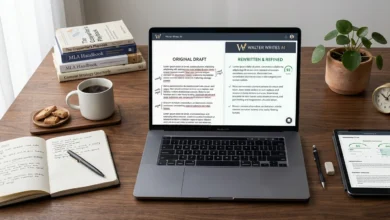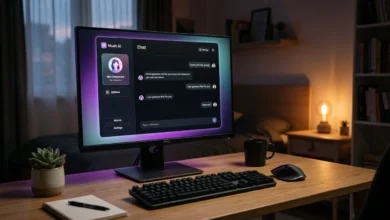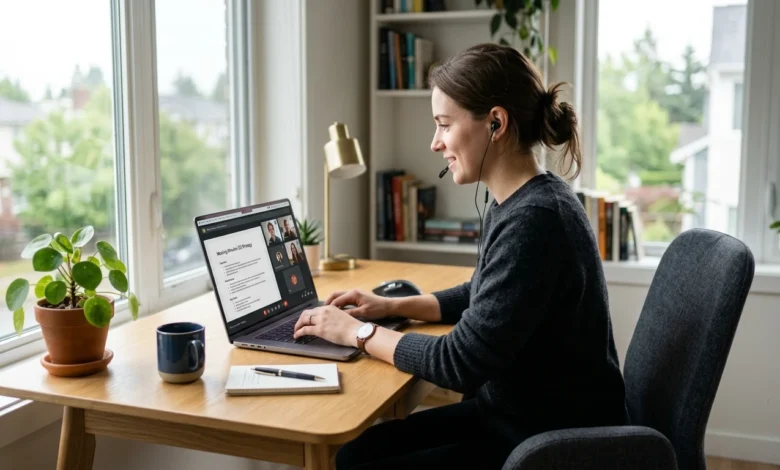
If you attend online meetings, interviews, lectures, or team discussions, keeping up with every spoken detail can be difficult. Otter AI is a meeting transcription tool that turns spoken conversations into written transcripts and organizes important information from them, helping users review discussions without relying entirely on handwritten notes.
The service is mainly used for meeting transcription, summaries, speaker identification, searchable conversations, and follow-up information, and it works with meetings held through platforms such as Zoom, Google Meet, and Microsoft Teams.
Table of Contents
Key Takeaways
- It converts spoken conversations into searchable, written transcripts, with optional summaries and speaker labels.
- It works with Zoom, Google Meet, and Microsoft Teams, in addition to standalone recordings.
- A free plan exists but has usage limits, so frequent meeting attendees may need a paid tier.
- Accuracy depends on audio quality, so important details should be reviewed rather than trusted blindly.
- Recording and transcription are related but distinct, and permission rules apply before recording others.
What Is This Tool?
It is a transcription and meeting notes platform designed to capture spoken conversations and turn them into searchable text.
Instead of writing everything down while someone is speaking, users can create a written record of a conversation that can be reviewed, searched, and used to find important parts of the discussion. This is useful for online meetings, interviews, classes and lectures, sales calls, team discussions, research conversations, and remote work.
The main value is simple: you can concentrate on the conversation while keeping a written record for later review.
How Does It Work?
The basic process is straightforward. A conversation is recorded or captured, the speech is converted into text, different speakers can be identified, and the resulting conversation is organized for later use.
This means you do not have to go through an entire recording every time you need to find one detail. For example, if a sixty minute business meeting contains an important decision near the end, you can search the conversation instead of listening to the entire recording again.
What Can It Do?
The platform focuses on several practical functions that are useful after a meeting or conversation.
Live transcription converts speech into written text while a conversation is taking place, giving users a running record of what has been discussed. This is useful during interviews, meetings, and lectures where remembering every statement matters.
Meeting summaries condense long conversations into an easier to read overview, which helps when several meetings happen during the same day.
Speaker identification organizes the transcript according to who said what. Users should still review names and speaker labels, since difficult audio, overlapping speech, or unclear voices can result in mistakes.
Searchable conversations let you find a specific deadline, customer name, project requirement, or decision without replaying the complete recording.
Action items get pulled out of the discussion automatically, identifying tasks, decisions, and follow-up points rather than leaving you with a plain wall of text.
Does It Work With Zoom, Google Meet, and Microsoft Teams?
Yes. A major use case is capturing conversations from popular online meeting platforms, including Zoom, Google Meet, and Microsoft Teams.
This makes it particularly relevant for people who spend much of their working or studying time in online meetings. A team member can review the written conversation after a Microsoft Teams meeting instead of asking another participant to repeat the discussion, and an interviewer can return to a transcript after a Google Meet call to locate a specific answer.
The exact recording, transcription, and meeting features available to you can depend on your account and setup.
Also Read: Candy AI: What It Is, How It Works, and What to Know Before Using It
Is It Free?
There is a free option, but it comes with usage and feature limitations.
The free plan can be useful if you only need occasional transcription. People who regularly attend meetings or process longer recordings may need a paid plan, since higher tiers provide additional usage and features.
Before choosing a plan, consider how many meetings you attend, how much transcription you need each month, and whether you need additional workspace or collaboration features.
How to Log In
If you are searching for otter ai login, the process is generally simple.
- Open the Otter website.
- Select the sign-in option.
- Enter your account details or use the available sign-in method.
- Complete any required verification.
- Open your dashboard and access your conversations.
If you already have an account, you do not need to create another one simply to access previous transcripts. If you cannot sign in, check that you are using the same email or account method used during registration. A password reset may also be necessary if you no longer remember your credentials.
Is It Accurate?
Transcription accuracy can vary depending on the quality of the recording and the conversation itself.
Clear speech in a quiet environment is generally easier to transcribe than a conversation with background noise, several people speaking simultaneously, strong or unfamiliar accents, low quality microphones, technical terminology, or people interrupting one another.
For important interviews, business decisions, legal discussions, or research, the transcript should be reviewed rather than treated as a perfect word for word record. This matters most when a single sentence could change the meaning of a decision or instruction, and it is also why names, numbers, and unclear audio segments are the most common spots needing manual correction.
Does It Record Meetings?
Recording and transcription are closely connected, but they are not exactly the same thing.
Recording creates an audio or video record of the conversation, while transcription converts spoken words into written text. This distinction matters because some users may only want a written record, while others may need the original recording as well. The available recording options can depend on how the meeting is captured and which account features are available.
If you are recording other people, always follow the applicable workplace rules and obtain the required permission before recording a conversation.
Is It Safe to Use?
Safety and privacy are important considerations when a service handles meeting recordings and transcripts.
Before using it for sensitive conversations, consider what information will be discussed and whether your organization permits third-party transcription services. This is particularly important for confidential business meetings, customer information, employee discussions, private interviews, research data, and financial information.
Avoid treating a transcript as automatically suitable for sharing. Review the information before sending it to other people, especially when the conversation contains private or confidential material.
What Are the Main Limitations?
The tool can save considerable time, but it is not suitable for every situation.
Usage limits on free accounts mean people with frequent or lengthy meetings may need a paid plan. Recording quality matters too, since poor microphones and background noise reduce the accuracy of the resulting transcript, echoing the accuracy concerns covered earlier. Whatever the source of an error, important decisions should still be checked against the original conversation rather than the transcript alone.
Who Is It Useful For?
The strongest use cases are people who regularly need a written record of conversations: students reviewing lectures without relying entirely on handwritten notes, interviewers comparing answers across candidates, business professionals tracking decisions and follow-up tasks across several meetings, sales teams capturing customer requirements and objections that are easy to forget after a call, and remote teams that need a shared written record when someone cannot attend live.
It may not be necessary if you rarely attend meetings or prefer taking your own notes, and it may be unsuitable for organizations that prohibit external transcription services or have strict rules for handling confidential information. If a conversation involves highly sensitive material, check your organization’s policies first.
FAQs
What is Otter AI used for?
It is primarily used to transcribe conversations, create meeting notes and summaries, identify speakers, and make recorded discussions easier to search and review.
Is it free?
Yes, there is a free plan, although it has usage and feature limits. Paid plans provide additional capacity for people with greater transcription needs.
Does it work with Zoom, Google Meet, and Microsoft Teams?
Yes. All three are supported, though the exact features available can depend on your account and how the meeting is set up.
How do I log in?
Open the sign-in page and use the account credentials or sign-in method associated with your account. A password reset is available if you no longer remember your login details.
Is it safe for confidential meetings?
It can be useful for ordinary meetings, but sensitive conversations need extra consideration. Always follow your organization’s privacy, security, and recording policies before using any transcription service for confidential material.
Conclusion
This tool is most useful when you need more than a simple meeting recording. It creates a written record of conversations, makes discussions searchable, and helps organize summaries, speakers, and follow-up information.
Its usefulness depends heavily on the type of conversation you have. Clear meetings, interviews, lectures, and structured discussions are easier to process than noisy conversations with several people speaking at once.
The free option can be enough for occasional use, while frequent meeting participants may need more capacity. Before using it for confidential discussions, check the privacy and recording requirements that apply to your situation.