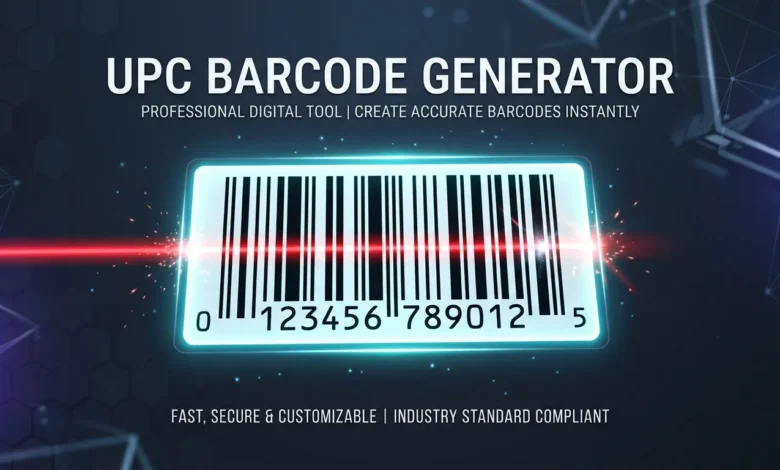
A UPC barcode generator turns a 12-digit number into a scannable barcode image. That part is quick and free. But say you’re generating UPC barcodes to sell a product on Amazon or in a store. There’s a step most free UPC barcode generator tools don’t tell you about. Skip it, and your product listing could get rejected.
This guide covers both sides: how to generate a UPC barcode using a simple tool, and when you need more than just an image.
Table of Contents
What Is a UPC Barcode?
A UPC (Universal Product Code) is a 12-digit number printed under a barcode on retail products. It’s how a store’s scanner knows what item you’re buying and what it costs.
The 12 digits break down into three parts:
- Company prefix — identifies the brand or manufacturer (6 to 10 digits)
- Item reference number — identifies the specific product
- Check digit — the last digit, used to catch scanning errors
UPC codes are managed by GS1, the organization that assigns company prefixes to businesses worldwide. This matters more than it sounds like it should we’ll get to why in a minute.
How to Generate a UPC Barcode
If you just need the barcode image itself, a UPC-A barcode generator gets it done in under a minute:
- Go to a barcode generator, like our free Barcode Generator.
- Choose UPC-A as the barcode type.
- Type in your 11 or 12-digit number.
- Download the image as a PNG or SVG.
That’s it you now have a working, scannable barcode image. A good UPC generator barcode tool also works out the check digit for you, so you don’t need to do the math by hand.
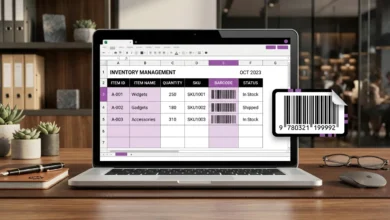
If you searched for a free UPC barcode generator because you just need to test how a product label looks, or you’re building an inventory sheet, this is really all you need. The next section covers when you need something more than a generated image.
The UPC Check Digit, Explained Simply
The check digit is the last number in a UPC. It exists so a scanner can tell if it read the code correctly. If even one digit gets misread, the check digit won’t match, and the scanner knows to try again instead of ringing up the wrong price.
How It’s Calculated
The math (called Modulo 10) looks intimidating written out, but the idea is simple:
- Add up the digits in odd positions, then multiply that total by 3.
- Add up the digits in even positions.
- Add both totals together.
- Find the number that would round that total up to the next multiple of 10 — that number is your check digit.
You’ll almost never need to do this by hand. Any UPC barcode check digit generator, including the one built into our barcode tool, calculates it for you automatically. It’s worth knowing it exists, though, so you understand why a barcode “looks wrong” if you type a number in incorrectly and the last digit doesn’t match what you expected.
Free UPC Generator vs. a Real, Registered UPC
Here’s the part most tutorials skip, and it’s the one that actually matters if you’re selling anything.
Any barcode generator, including ours, can turn any 12-digit number into a scannable image instantly. That part is easy. What it can’t do is register that number to your brand.
Real UPC numbers are licensed through GS1. When you buy a UPC from GS1, that number gets tied to your company in a global database. Retailers and marketplaces like Amazon check against that database. So what happens if you make up a random number, or reuse one that already belongs to someone else? A few things can go wrong:
- Amazon may reject your listing or flag it for review
- Your Amazon Brand Registry application can get denied because the code doesn’t match your business
- A store’s system might already have that number linked to a completely different product
This is why some sellers report their Amazon listings getting pulled, even though the barcode itself scanned fine. The image worked. The number just wasn’t theirs to use.
Also Read: Excel Barcode Generator 2 Easy Ways to Create Barcodes in a Spreadsheet
When You Don’t Need an Official, Registered UPC
Not every use case requires a GS1-registered number. A generated barcode is perfectly fine for:
- Internal inventory tracking in your own warehouse or stockroom
- Asset tags for equipment
- Personal organization projects
- Anything that never leaves your business or gets scanned by an outside retailer
The registration requirement only kicks in once a barcode needs to be recognized outside your own business. Think a retail store’s point-of-sale checkout system, or a marketplace like Amazon or Walmart.
UPC-A vs. UPC-E: What’s the Difference?
UPC-A is the standard 12-digit barcode you see on most products. UPC-E is a shorter, compressed version that drops extra zeros to fit on small packaging, like a pack of gum or a lipstick tube. Both represent the same kind of product data — UPC-E is just built for spaces where a full-size barcode won’t fit.
Common Mistakes to Avoid With a UPC Barcode Generator
Buying cheap, resold UPC codes
Some third-party sellers offer UPC numbers far below GS1’s price. These are often recycled codes not actually licensed to your brand, and Amazon can reject them during Amazon Brand Registry review.
Typing in the wrong number of digits
UPC-A needs exactly 12 digits (11 plus the check digit). Fewer or more digits will either fail to generate or produce a barcode that doesn’t match any real product format.
Assuming the barcode “working” means it’s valid
A UPC-A barcode generator will happily create a scannable image from almost any number you type in. Scannable and officially registered are two different things.
How to Get an Official, GS1-Registered UPC Code
Maybe you’ve decided you do need a real, registered number, not just a generated image. Here’s the actual process for generating UPC barcodes that retailers and marketplaces will accept:
- Go to GS1’s website for your country (GS1 US for American sellers) and apply for a UPC.
- Choose how many codes you need. GS1 now offers a single GTIN for a low one-time fee, which is enough for sellers launching one product. Larger catalogs need a full company prefix, which gives you a whole block of UPC numbers to use.
- Receive your company prefix and item numbers. GS1 assigns you a prefix, and you combine it with item reference numbers to create each product’s unique UPC.
- Generate the barcode image. Once you have your official 11-digit number (prefix plus item number), plug it into a UPC-A barcode generator, like ours, to turn it into a printable, scannable barcode.
- Add it to your product listing or packaging. For Amazon, you’ll enter this UPC when creating a new product listing.
This is the only path that gives you a number that’s actually searchable in the global GS1 database. That database is exactly what Amazon, Walmart, and most retail checkout systems check against.
Frequently Asked Questions
Can I generate a UPC barcode for free?
Yes. Any barcode generator, including ours, can create a scannable UPC-A image for free. What’s not free is officially registering that number through GS1 if you plan to sell the product through a retailer or marketplace.
Do I need to buy a UPC from GS1 to sell on Amazon?
In most cases, yes. Amazon checks UPC numbers against the GS1 database, especially during Brand Registry review. There’s also a GTIN exemption option for certain private-label or handmade products that don’t require a traditional UPC.
What’s the difference between a UPC and a GTIN?
A GTIN (Global Trade Item Number) is the broader category, and a 12-digit UPC is technically a GTIN-12. You’ll see both terms used depending on the region and the marketplace.
Can two products have the same UPC?
No each UPC is meant to be unique to one product. Reusing or duplicating a number that’s already registered to another product is one of the main reasons retail and marketplace listings get rejected.
How many digits does a UPC barcode have?
A standard UPC-A barcode has 12 digits: a company prefix, an item reference number, and a single check digit at the end.
Is a UPC A barcode generator different from a regular barcode generator?
Not really a UPC A barcode generator is just a regular barcode generator set to the UPC-A format instead of Code 128, EAN-13, or another type. The tool itself works the same way; you’re just picking which format your data gets encoded in.