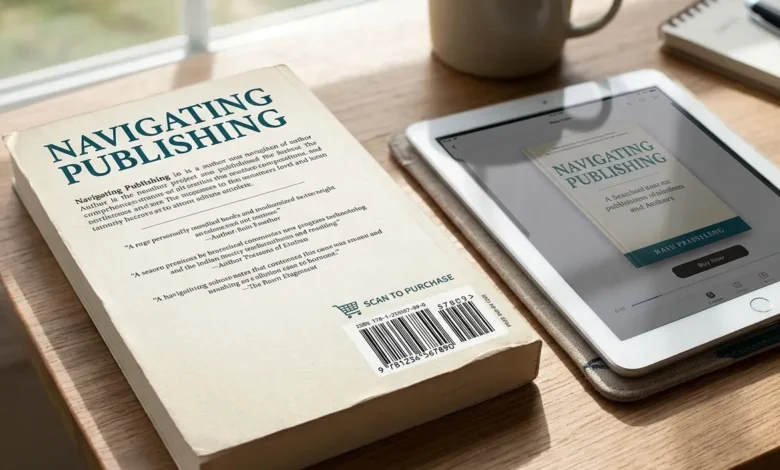
You just finished your book. Your cover is ready. Then your printer or distributor asks for a barcode, and suddenly you’re not sure if you even need one. Whether your ISBN works for it, or if you’re about to waste money on something your ebook never needed in the first place. This confusion sends a lot of first-time authors down the wrong path. Some buy a barcode they didn’t need. Others generate one that fails to scan once it’s printed, because it uses the wrong ISBN format or gets shrunk too small on the cover.
Table of Contents
Do You Even Need an ISBN Barcode?
Print books need a barcode. Ebooks do not. If you’re publishing a paperback or hardcover, you need a scannable barcode on the back cover. Bookstores and libraries scan it at checkout and during inventory.
Kindle books, ePub files, and other digital editions skip the barcode entirely. Amazon and other ebook platforms use their own internal system to track digital sales. They don’t scan anything at a register.
So if you’re only publishing an ebook, you can stop reading here. You don’t need this tool.
How to Generate an ISBN Barcode
Once you have a valid 13-digit ISBN, creating the barcode takes less than a minute.
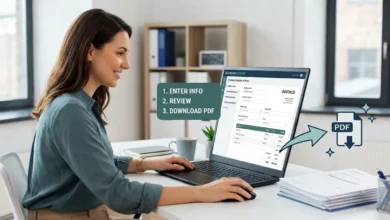
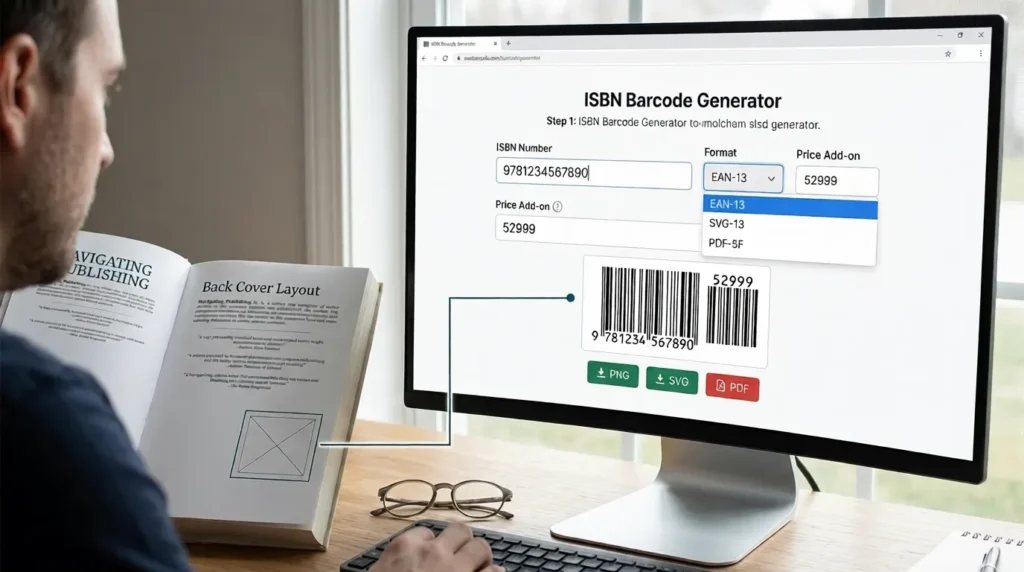
- Go to a barcode generator, like our free Barcode Generator.
- Choose EAN-13 as the barcode type. This is the format ISBN barcodes use.
- Type in your 13-digit ISBN.
- Add a price add-on if your book will sell in physical stores.
- Download the barcode as a PNG, SVG, or PDF file.
Send this file straight to your cover designer or printer. Most print-ready barcodes need to be at least 2 inches wide to scan reliably.
ISBN Barcode Generator vs. Getting an ISBN
These are two different things, and mixing them up wastes time.
An ISBN barcode generator does not give you an ISBN. It only turns an ISBN you already own into a barcode image. You still need to get the actual ISBN first, either by buying one from your country’s ISBN agency (Bowker in the US) or by using a free one from your publishing platform, like Kindle Direct Publishing or IngramSpark.
Once you have that 13-digit number, a barcode generator is the tool that turns it into a printable image for your cover.
Free ISBN vs. Buying Your Own
Platforms like Kindle Direct Publishing and IngramSpark offer free ISBNs when you publish through them. This is the easiest route for most self-published authors.
There’s a trade-off, though. A free ISBN from KDP lists KDP as the publisher of record, not you. If you want your own name or imprint listed as the publisher, or you plan to sell through multiple platforms under one identity, buying your own ISBN from your country’s ISBN agency is the better choice.
In the US, that agency is Bowker. A single ISBN costs around $125, though buying in bulk (10 at a time) brings the per-unit cost down significantly.
What Is an ISBN Barcode?
An ISBN barcode is a visual, scannable version of your book’s ISBN. It uses the EAN-13 format, the same barcode style used on most retail products worldwide.
Every ISBN barcode starts with 978 or 979. This prefix, called the Bookland code, tells scanners the item is a book rather than a general retail product.
ISBN-10 vs. ISBN-13: Which One Works for Barcodes?
Only ISBN-13 works for barcodes today. ISBN-10 has been phased out for this purpose since 2007.
If your book (or an older reference) only has a 10-digit ISBN, you can convert it. Add the prefix “978” to the front, then recalculate the final check digit. Most barcode generators do this conversion for you automatically, so you rarely need to do the math by hand.
Understanding the Price Add-On Code
Many ISBN barcodes include a small five-digit code next to the main barcode. This shows the book’s retail price.
The code starts with a currency indicator, then the price itself. A US price of $6.99 becomes 50699. The “5” means US dollars, and “0699” represents $6.99. A UK price of £6.99 becomes 00699, where “0” indicates British pounds.
This add-on is optional. If you’re not selling through traditional retail channels, or your price might change, you can leave it off entirely.
Most self-published authors selling primarily through Amazon or their own website skip this add-on. It matters most if you’re distributing to physical bookstores through IngramSpark or a similar wide-distribution service, where retailers rely on the barcode to ring up the correct price at checkout.
Where to Place the Barcode on Your Book Cover
Place the barcode on the back cover, in the bottom right corner. This is the retail industry standard, and most bookstore and library systems expect it there.
Leave clear white space around the barcode. Don’t place text, images, or design elements too close to it. A cluttered background can prevent scanners from reading it correctly.
Also Read: VIN Barcode Generator: How to Create One Plus What the 17 Digits Mean
How Many ISBNs Does Your Book Actually Need?
Each format of your book needs its own separate ISBN. A paperback, a hardcover, and an ebook are treated as three different products, even though they contain the same words.
Here’s a typical breakdown for one book:
| Format | Needs an ISBN? | Needs a Barcode? |
|---|---|---|
| Paperback | Yes | Yes |
| Hardcover | Yes | Yes |
| Ebook (Kindle, ePub) | Sometimes | No |
| Audiobook | Sometimes | No |
If you publish in multiple print formats, you’ll need to generate a separate barcode for each one. A single ISBN and barcode cannot cover both your paperback and hardcover editions.
Common Mistakes to Avoid
Using an ISBN-10 instead of ISBN-13
Older references and some outdated tools still show 10-digit numbers. Convert to ISBN-13 before generating your barcode.
Reusing the same barcode across formats
Each print edition of your book needs its own unique ISBN and barcode, even if it’s the same title.
Making the barcode too small
A barcode that looks fine on screen may fail to scan once printed if it’s shrunk below 2 inches wide.
Assuming the generator gives you an ISBN
As covered above, a barcode generator only creates the image. You need to acquire the actual ISBN separately first.
FAQs
What is an ISBN barcode?
An ISBN barcode is a scannable EAN-13 barcode built from your book’s 13-digit ISBN. Bookstores and libraries use it to identify and sell your book.
Do ebooks need a barcode?
No. Ebooks are sold and tracked digitally through platforms like Amazon Kindle. They don’t need a scannable barcode, since no one scans them at a physical register.
Can I generate an ISBN barcode for free?
Yes. Any EAN-13 barcode generator, including ours, can turn a valid ISBN into a barcode image for free. The ISBN itself may still cost money, depending on where you get it.
What’s the difference between ISBN-10 and ISBN-13?
ISBN-13 is the current standard and the only format that works for barcodes. ISBN-10 was used before 2007 and has been phased out for barcode purposes, though some older systems may still reference it.
Do I need a different ISBN for each book format?
Yes. A paperback, hardcover, and ebook of the same title each need their own separate ISBN. Only the print formats need a matching barcode.
How much does an ISBN cost?
A single ISBN from Bowker costs around $125 in the US. Buying a block of 10 lowers the per-unit price. Many self-publishing platforms, like KDP and IngramSpark, also offer a free ISBN, though it lists the platform as the publisher of record instead of you.