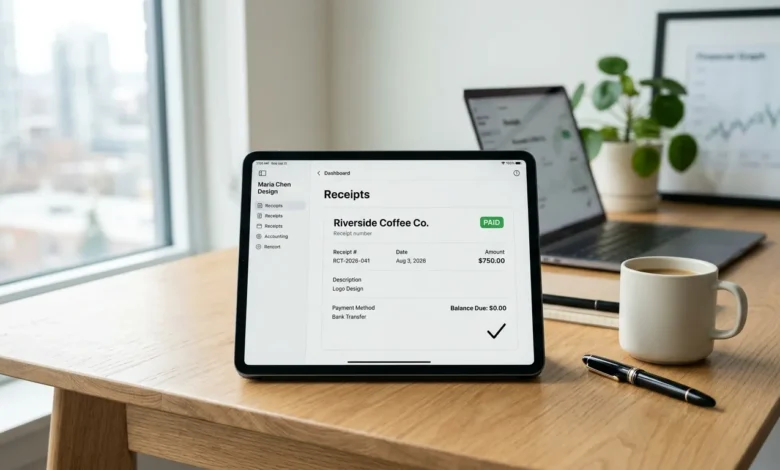
A payment receipt is the document you send after a customer pays you. It’s proof the transaction is complete, and it’s different from an invoice, which requests payment rather than confirming it.
This guide covers what one needs to include, real examples for different situations, and a shortcut most small businesses don’t know about that saves you from creating a separate document every time.
Table of Contents
What Is a Payment Receipt?
It confirms that a specific payment was received. It shows what was paid, when, how much, and by what method. Unlike an invoice, which lists what’s owed and by when, a receipt closes out the transaction.
In the US, receipts matter beyond just good bookkeeping. The IRS expects businesses to keep payment records to support income reporting, and customers often need receipts to claim business expenses or process a return.
A payment receipt is issued after payment is received, while an invoice is sent before payment is due. If you’re new to invoicing, read our guide on How to Create an Invoice.
What Should a Receipt Include?
| Field | Purpose |
|---|---|
| Receipt number | A unique ID for tracking, separate from any invoice number |
| Date of payment | Confirms exactly when the transaction happened |
| Business name and contact info | Identifies who received the payment |
| Customer name | Identifies who made the payment |
| Amount paid | The exact figure received |
| Payment method | Cash, card, bank transfer, check, or digital payment |
| Description of goods or services | What the payment was for |
| Remaining balance, if any | Needed if the payment was partial |
A receipt only needs to show what happened, not what’s expected. That’s the biggest difference from an invoice, which needs due dates and payment terms.
If the receipt relates to a previously issued invoice, always include the correct invoice number for accurate recordkeeping. Learn what Is an invoice number? and why it matters in our detailed guide.
Payment Receipt Example
Here’s a straightforward example for a service payment:
PAYMENT RECEIPT
----------------------------------------------------------
Receipt Number: RCT-2026-042
Payment Date: August 3, 2026

Business Information
Summit Construction LLC
Denver, CO

Customer Information
Jordan Peters

Payment Details
Description: Residential Deck Construction
Invoice Number: INV-2026-135
Total Project Value: $8,500.00
Amount Paid: $2,500.00
Remaining Balance: $6,000.00
Payment Method: Check #1092

Status: PARTIAL PAYMENT RECEIVED

Next Payment Due:
September 5, 2026
----------------------------------------------------------
That’s the entire document. A receipt doesn’t need to be long to be complete.
Need to send an invoice you can later mark as paid? Try our free Invoice Generator to create one in minutes.
The Receipted Invoice Shortcut
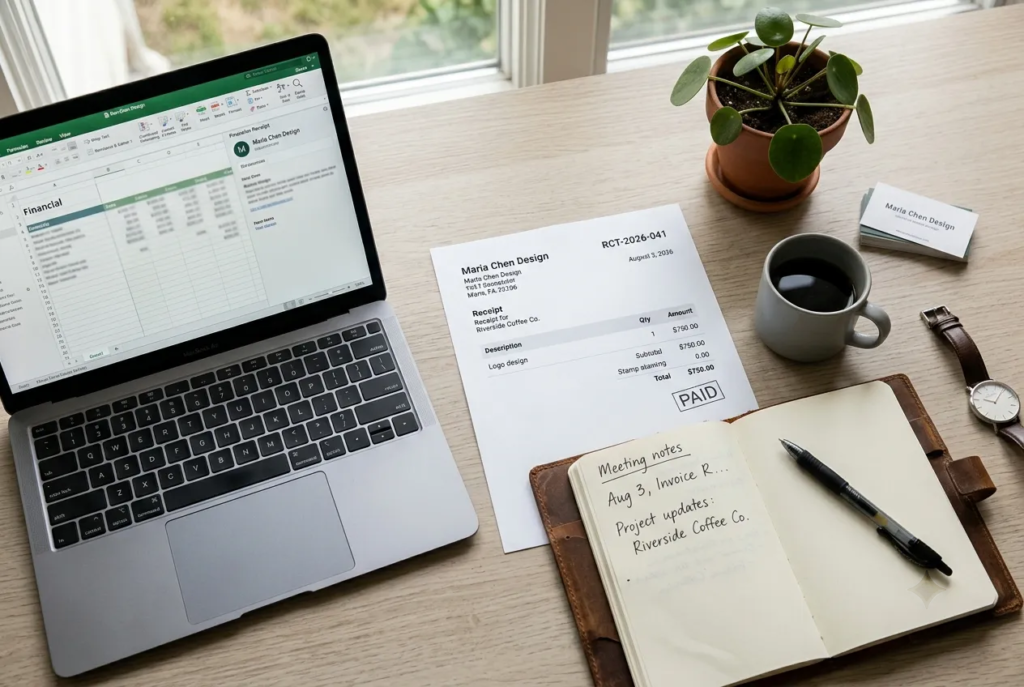
Here’s something most guides skip. You don’t always need to create a separate receipt document. If you already sent an invoice, you can simply mark it “PAID” once payment comes in, along with the date and method received.
This combined document, sometimes called a receipted invoice, does the job of both. It shows what was billed and confirms it’s settled, all in one file. This is faster than generating a brand new receipt for every payment, and many small businesses use it as their default method instead of creating two separate documents for the same transaction.
A dedicated, separate receipt still makes sense for cash payments, partial payments, or situations where the customer specifically asks for a standalone proof-of-payment document.
Receipt Format for a Partial Payment
If a customer pays a deposit or a partial amount, the receipt needs to show what’s still owed, not just what came in.
RECEIPT                            Receipt #: RCT-2026-042
                                    Date: August 3, 2026

Received From: Jordan Peters
Received By: Summit Construction LLC

Description: Deck rebuild, deposit payment
Total Project Cost: $4,200.00
Amount Paid: $1,400.00
Payment Method: Check #1092
Balance Due: $2,800.00
Leaving out the balance due is one of the more common mistakes on a partial receipt, and it creates confusion later about how much is actually left.
How to Create a Payment Receipt
Creating one takes five quick steps.
- Add a receipt number. Use its own sequence, separate from your invoice numbers.
- Add the date of payment. Not the date of the sale or invoice, the date money actually changed hands.
- List what was paid for. A short description is enough. Match it to the original invoice if one exists.
- State the amount and payment method. Include the remaining balance if the payment was partial.
- Send it to the customer. Email as a PDF, or hand over a printed copy for in-person cash payments.
If you already sent an invoice for this transaction, you can skip building a new document entirely. Just mark that invoice “PAID” with the date and method, as covered in the receipted invoice section above.
Payment Receipt vs. Invoice, in Short
An invoice requests payment before it’s received. A receipt confirms payment after it’s been collected. If a document is marked “PAID,” it’s functioning as a receipt, regardless of what it was originally labeled.
Digital vs. Paper Receipt Format
Most small businesses today issue receipts digitally, usually as a PDF or plain text email, since it’s faster and easier to store than paper copies.
A paper receipt format still makes sense for in-person cash transactions, especially at markets, pop-up shops, or service calls where printing or handwriting a receipt on the spot is simpler than emailing one later. Whichever format you choose, the required fields stay the same. Only the delivery method changes.
Common Types of Receipts
Cash receipts. Used any time physical currency changes hands. Keep three copies where possible: one for the customer, one for your records, and one for banking purposes.
Rent receipts. Landlords issue these to document rent payments, which protects both sides if a payment dispute ever comes up.
Donation receipts. Nonprofits use these so donors can claim a tax deduction. In the US, donation receipts generally need to state that no goods or services were exchanged for the donation, or describe what was provided in return.
Service receipts. Cover payment for work performed rather than physical goods, common among freelancers, contractors, and consultants.
Common Mistakes on Receipts
Leaving out the payment method
Customers sometimes need this detail for their own expense records or disputes.
Forgetting the remaining balance
Critical on any receipt for a partial or deposit payment.
Using the same number as the invoice
A receipt number should be its own sequence, separate from your invoice numbering, so the two document types don’t get mixed up in your records.
Not keeping a copy
Always save your own copy of every receipt you issue, especially for cash transactions where there’s no bank record to fall back on.
FAQs
What is a payment receipt used for?
It confirms that a specific payment was received. It documents the amount, date, method, and what the payment was for, and serves as proof of a completed transaction for both the payer and the recipient.
What should I include on a receipt?
At minimum: a receipt number, the payment date, your business information, the customer’s name, the amount paid, the payment method, and a description of what was paid for.
Do I need a separate receipt if I already sent an invoice?
Not always. You can mark the original invoice “PAID” with the payment date and method, and use that as your receipt instead of creating a new document.
How long should I keep receipts?
Most US small businesses keep receipts for at least three years to align with IRS recordkeeping guidelines, though some situations call for longer retention.
Can I create a receipt for free?
Yes. A free invoice generator that supports marking invoices as paid, like ours, can double as a receipt generator without any extra cost. Most small businesses don’t need paid software just to issue a receipt for payment received.