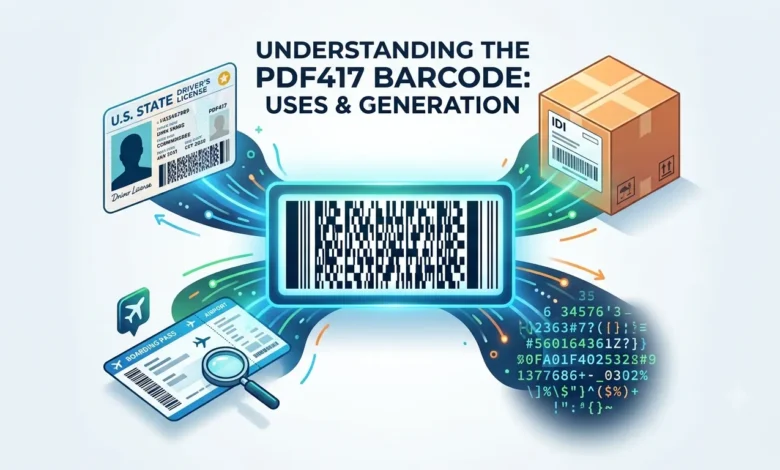
Flip over your driver’s license. That wide, rectangular block of stacked lines on the back is a PDF417 barcode. It’s also the format used on airline boarding passes, shipping labels, and some government-issued IDs.
Most PDF417 barcode generators treat every use case the same way. Type in text, get a barcode. But if you’re generating one to test an ID scanner or build a mock license, a plain PDF417 code won’t work the way you expect. This guide covers how to generate a standard PDF417 barcode, and what makes the AAMVA-format version on driver’s licenses different.
Table of Contents
What Is a PDF417 Barcode?
PDF417 is a 2D barcode that stores data in stacked rows, almost like several short barcodes sitting on top of each other. “PDF” stands for Portable Data File, and “417” refers to its internal structure: each pattern in the code is 4 bars and spaces wide, arranged in a sequence 17 units long.
It was created in 1991 by Symbol Technologies and is defined under the ISO 15438 standard. It uses Reed-Solomon error correction, so the barcode can stay readable even if part of it gets scratched, dirty, or damaged.
A single PDF417 barcode can hold up to 1,850 alphanumeric characters, or around 2,700 numeric characters. That’s a lot more than most 1D barcodes, which is why it’s the format chosen for documents that need to carry a full data record instead of just an ID number.
How to Generate a PDF417 Barcode
Creating a basic PDF417 barcode takes under a minute.
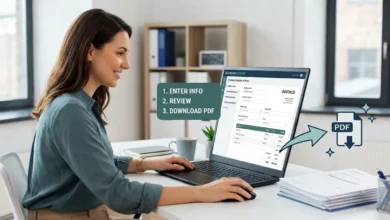
- Go to a barcode generator, like our free Barcode Generator.
- Choose PDF417 as the barcode type.
- Type in the data you want to encode. This can be plain text, a URL, or a structured data string.
- Download the barcode as a PNG or SVG file.
For most uses, like shipping labels or document tracking, this is all you need. The generator handles the error correction and formatting automatically.
Also Read: Data Matrix Barcode Generator Create Free 2D Data Matrix Barcodes Online
PDF417 AAMVA Barcode Generator: Why Driver’s Licenses Are Different
A regular PDF417 barcode generator simply converts the information you enter into a machine-readable format. An AAMVA PDF417 barcode generator, however, follows a much stricter standard designed specifically for driver’s licenses and state identification cards.
AAMVA stands for the American Association of Motor Vehicle Administrators, the organization responsible for creating uniform standards used throughout the United States and Canada.
Every AAMVA-compliant barcode follows a predefined structure containing standardized fields, including:
- Full name
- Date of birth
- Address
- License number
- Expiration date
- Gender
- License class
- Issuing authority
This standardized format allows retailers, law enforcement agencies, airports, banks, and other organizations to process identification information consistently.
Unlike an ordinary barcode, an AAMVA barcode contains both formatting rules and encoded information. Because of this, a standard PDF417 generator is usually insufficient for testing age-verification systems, identity scanners, and compliance applications.
Generate PDF417 Barcodes for Boarding Passes and Shipping Labels
PDF417 technology extends far beyond identification cards.
Airlines rely on PDF417 barcodes as part of the Bar Coded Boarding Pass (BCBP) standard developed by the International Air Transport Association (IATA). These barcodes store information such as passenger details, flight numbers, destinations, and seat assignments.
Logistics companies also use PDF417 symbols to manage:
- Package tracking numbers
- Delivery information
- Warehouse identification codes
- Shipment references
- Inventory records
Because PDF417 symbols can store large amounts of information within a compact space, they are well suited for environments that require detailed records and reliable scanning performance.
Unlike AAMVA barcodes, these applications usually do not require specialized formatting.
Industries That Commonly Use PDF417 Barcodes
PDF417 symbols are widely used across several industries.
| Industry | Common Use Cases |
|---|---|
| Aviation | Boarding passes |
| Government agencies | Identification cards |
| Retail | Age verification |
| Logistics | Shipment tracking |
| Healthcare | Patient identification |
| Manufacturing | Asset management |
PDF417 Capacity and Error Correction
One reason organizations continue to rely on PDF417 technology is its impressive storage capacity.
A PDF417 barcode can store:
- Text
- Numeric values
- Images
- URLs
- Product identifiers
- Tracking numbers
PDF417 also uses multiple levels of error correction, helping scanners recover information even if part of the barcode becomes damaged.
This capability makes it especially useful in demanding environments such as warehouses, manufacturing facilities, transportation systems, and government agencies.
Why Your PDF417 Barcode Might Not Scan
PDF417 is harder to print correctly than most barcode formats, and this is the part almost no generator page explains.
Because PDF417 packs data into many thin, stacked rows, it needs a much higher print resolution than a typical 1D barcode. A standard 300 DPI printer, which handles most barcodes fine, can blur PDF417’s narrow bars just enough to make individual rows unreadable. For reliable results, aim for at least 600 DPI when printing, especially if the barcode holds a large amount of data.
Scanner compatibility is the other overlooked issue. Many basic barcode scanner apps, including some phone camera scanners, only support 1D formats or QR codes. If a PDF417 code won’t scan, the barcode itself may be fine. The problem is often the scanner app not supporting PDF417 at all, not a flaw in how the barcode was generated.
Before assuming a generated barcode is broken, test it with a scanner or app that explicitly lists PDF417 support, and confirm the print resolution matches what the format actually needs.
Common Mistakes When Generating a PDF417 Barcode
Using a standard generator for AAMVA requirements
If you’re testing identification systems, make sure your generator supports AAMVA field formatting instead of basic PDF417 encoding.
Printing barcodes at extremely small sizes
PDF417 symbols contain multiple rows of encoded information. If the barcode is too small, scanners may struggle to distinguish individual elements.
Storing unnecessary information
Although PDF417 symbols can store a large amount of data, excessive information can increase the overall size of the barcode and reduce scanning efficiency.
Ignoring error correction settings
Choosing the proper error correction level improves readability and helps maintain data integrity.
Assuming that PDF417 and QR codes are identical
Both technologies store information in two-dimensional formats, but they serve different purposes.
| Feature | PDF417 | QR Code |
|---|---|---|
| Shape | Rectangular | Square |
| Common use | Identification systems | Consumer applications |
| Data structure | Complex records | Quick access information |
| Error correction | Advanced | Advanced |
| Smartphone compatibility | Limited | Excellent |
FAQs
What is a PDF417 barcode used for?
PDF417 barcodes are used on driver’s licenses, ID cards, airline boarding passes, and shipping labels. It’s chosen for its high data capacity and built-in error correction, which keeps it readable even when part of the label is damaged.
What is a PDF417 AAMVA barcode generator?
It’s a barcode generator built to follow the specific data structure AAMVA requires for US and Canadian driver’s licenses. Unlike a generic PDF417 generator, it formats the header, jurisdiction code, and personal data fields in the exact order a real ID scanner expects.
How much data can a PDF417 barcode hold?
A PDF417 barcode can hold up to around 1,850 alphanumeric characters, roughly 2,700 numeric characters, or about 1,100 bytes of binary data, depending on the error correction level used.
Is PDF417 the same as a QR code?
No. Both are 2D-style barcodes, but PDF417 stores data in stacked horizontal rows and has a rectangular shape, while a QR code stores data in a square grid. PDF417 is more common on documents and IDs, while QR code is built for quick scanning with a phone camera.
Can I generate a PDF417 barcode for free?
Yes. Any standard PDF417 barcode generator, including ours, can create a scannable barcode for free. AAMVA-specific formatting for driver’s license testing may require a more specialized tool.