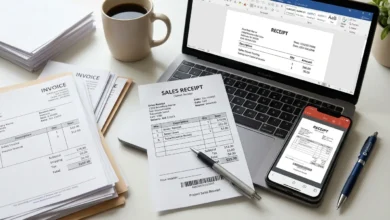
Creating professional invoices should not be difficult. Whether you are a freelancer, small business owner, consultant, or online seller, you need a fast way to bill your customers and receive payments on time.
A good invoice generator helps you create accurate invoices without spending hours on formatting or calculations. Instead of designing invoices from scratch, you simply enter your business information, customer details, products or services, taxes, and payment terms. The invoice is ready to download and share within minutes.
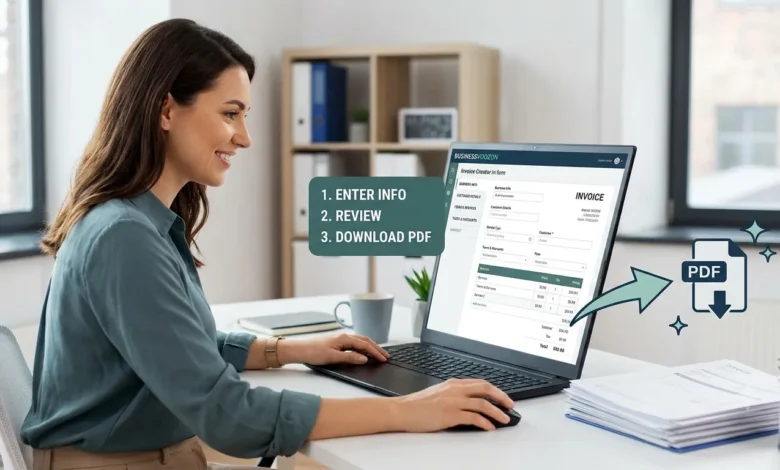
Our Invoice Generator is designed for speed and simplicity. You can create professional invoices, review the details, and download them as a PDF without dealing with complicated accounting software. Whether you send one invoice each month or hundreds every week, this tool helps you save time while keeping every invoice professional.
If you need a simple way to create invoices online, start by using our Invoice Generator.
Table of Contents
What Is an Invoice Generator?
An invoice generator is an online tool that helps businesses create invoices quickly and accurately. Instead of building invoices manually in Word or Excel, you fill in a form with your business information, customer details, products or services, pricing, taxes, and payment terms. The tool automatically organizes everything into a professional invoice that is ready to download or send.
Businesses of every size use invoice generators because they reduce manual work and lower the chance of mistakes. A professional invoice also creates a better impression and makes it easier for customers to understand what they are paying for.
Unlike traditional accounting software, an invoice generator focuses on one task. It helps you create invoices quickly without unnecessary features.
How an Invoice Generator Works
The process is simple.
- Enter your business information.
- Add your customer’s details.
- List the products or services you provided.
- Enter quantities, prices, taxes, or discounts.
- Review the invoice.
- Download the finished invoice as a PDF.
The entire process usually takes only a few minutes.
How to Create an Invoice Online
Creating an invoice only takes a few minutes when you follow the right steps.
Step 1: Add Your Business Information
Start by entering your business name, address, email address, phone number, and any other contact information. If your business has a logo, include it to make the invoice look more professional.
Step 2: Enter Customer Details
Add your customer’s name, company name, billing address, email address, and contact information. Double-check these details before continuing to avoid sending the invoice to the wrong person.
Step 3: List Products or Services
Enter every product or service separately. Include a short description, quantity, unit price, and subtotal. Clear descriptions help customers understand exactly what they are paying for.
Step 4: Add Taxes, Discounts, and Payment Terms
If applicable, include VAT, GST, sales tax, or other local taxes. You can also apply discounts before calculating the final amount. Finally, specify payment terms, accepted payment methods, and the invoice due date.
Step 5: Review and Download
Before downloading the invoice, review all information carefully. Check customer details, pricing, taxes, invoice number, and payment terms. Once everything looks correct, download the invoice as a PDF and send it to your customer.
Who Should Use an Invoice Generator?
An invoice generator is useful for almost anyone who provides products or services.
Freelancers
Freelancers can create invoices after completing projects and send them to clients without using expensive accounting software.
Small Businesses
Small businesses can prepare professional invoices for customers while keeping financial records organized.
Consultants
Consultants often bill clients by the hour or by project. A structured invoice makes every charge clear and easy to understand.
Agencies
Marketing agencies, design studios, and development companies can create detailed invoices for multiple services and projects.
Online Sellers
Businesses that sell products online can generate invoices for customer orders and maintain accurate billing records.
Why Use an Online Invoice Generator?
Many businesses still create invoices manually. While this works for a small number of invoices, it quickly becomes time-consuming as your business grows.
An online invoice generator offers several advantages.
Save Time
Instead of formatting every invoice from the beginning, you simply enter the required information and let the tool organize everything automatically.
Create Professional Invoices
A clean invoice builds trust with customers. It clearly displays your business information, customer details, invoice number, due date, item list, taxes, and total amount.
Reduce Errors
Manual calculations often lead to mistakes. An invoice generator calculates totals automatically, helping reduce pricing and tax errors.
Download PDF Invoices
PDF files keep the invoice layout consistent on every device. Customers can easily open, print, or save the invoice for future reference.
Keep Better Records
Using the same invoice format every time makes it easier to organize invoices and review previous transactions.
No Design Skills Required
You do not need to create tables or adjust layouts manually. The invoice is automatically presented in a clean and readable format.
What Should an Invoice Include?
A professional invoice should contain all the information your customer needs to understand the purchase and complete the payment. Missing details can delay payments or create confusion.
The following fields should appear on every invoice.
| Invoice Field | Required | Why It Matters |
|---|---|---|
| Invoice Number | Yes | Helps track invoices and avoid duplicates. |
| Invoice Date | Yes | Shows when the invoice was created. |
| Due Date | Yes | Tells the customer when payment is expected. |
| Business Information | Yes | Identifies who issued the invoice. |
| Customer Information | Yes | Identifies who should make the payment. |
| Products or Services | Yes | Explains what the customer is paying for. |
| Quantity | Yes | Shows how many items or hours were billed. |
| Unit Price | Yes | Displays the price of each item or service. |
| Taxes | If Applicable | Shows VAT, GST, or sales tax separately. |
| Discounts | Optional | Displays any promotional or negotiated discount. |
| Total Amount | Yes | Shows the final amount due. |
| Payment Terms | Yes | Explains when and how payment should be made. |
| Notes | Optional | Adds extra instructions or a thank-you message. |
A complete invoice reduces misunderstandings and helps businesses maintain organized financial records.
Common Invoice Mistakes to Avoid
Small mistakes on an invoice can delay payments, create unnecessary questions, or even damage customer trust. Before sending an invoice, review every detail carefully.
Using Duplicate Invoice Numbers
Every invoice should have a unique invoice number. Duplicate numbers make bookkeeping difficult and can create confusion during tax reporting or payment tracking.
Entering Incorrect Customer Information
Always verify your customer’s name, company name, email address, and billing address. Even a small spelling mistake can cause delays.
Forgetting the Due Date
If you do not include a payment deadline, customers may not know when payment is expected. A clear due date encourages faster payments.
Incorrect Prices or Quantities
Review every product, service, quantity, and unit price before sending the invoice. Incorrect calculations often lead to payment disputes.
Missing Tax Information
If your business charges VAT, GST, or sales tax, include it clearly on the invoice. Customers should understand how the final amount was calculated.
Unclear Payment Instructions
Tell customers exactly how they can pay. Include accepted payment methods, account details if required, and any important payment instructions.
Taking a few extra minutes to review an invoice can prevent delays and improve your professional image.
Tips to Get Paid Faster
Creating an invoice is only the first step. Receiving payment on time is equally important.
These practical tips can help improve payment speed.
Send the Invoice Immediately
Do not wait several days after completing the work. Send the invoice while the project is still fresh in the customer’s mind.
Use Clear Payment Terms
Instead of writing “Payment Due,” specify a clear deadline such as “Due within 15 days” or “Due within 30 days.”
Offer Multiple Payment Methods
Customers are more likely to pay quickly when they can choose their preferred payment method, such as bank transfer, card payment, or online payment services.
Keep the Invoice Simple
Avoid unnecessary information. A clean and organized invoice helps customers review charges quickly and reduces questions.
Include Complete Contact Information
If the customer has a billing question, they should know exactly how to contact you.
Follow Up Politely
If payment is overdue, send a friendly reminder. Many late payments happen because customers simply forget.
A professional follow-up often works better than sending repeated payment requests.
Invoice vs Quote vs Receipt
Many people confuse invoices, quotes, and receipts. Although they are related, each document serves a different purpose.
| Feature | Invoice | Quote | Receipt |
|---|---|---|---|
| Purpose | Request payment | Estimate the cost before work begins | Confirm payment has been received |
| Sent | After products or services are provided | Before work starts | After payment is completed |
| Includes Prices | Yes | Estimated prices | Final amount paid |
| Payment Status | Payment Pending | No Payment Required | Payment Completed |
When Should You Use an Invoice?
Use an invoice after delivering products or completing services. It officially requests payment from your customer.
When Should You Use a Quote?
A quote is provided before work begins. It gives the customer an estimated price so they can decide whether to move forward.
When Should You Use a Receipt?
A receipt confirms that payment has already been received. Customers often keep receipts for accounting, tax records, or warranty claims.
Knowing the difference helps businesses communicate more clearly with customers and maintain accurate financial records.
How to Number Your Invoices Correctly
Invoice numbers help organize your billing records and make it easier to track payments.
The best numbering system is simple, consistent, and easy to understand.
Here are a few common formats.
- INV-1001
- INV-2026-001
- BV-0001
- JUL-2026-015
Choose one format and use it consistently for every invoice.
Avoid resetting invoice numbers randomly or reusing old numbers. Consistent numbering makes it easier to locate invoices, prepare tax records, and answer customer questions.
If your business sends invoices to many customers each month, a structured numbering system can save time and reduce bookkeeping errors.
Features of Our Invoice Generator
A good invoice generator should help you create professional invoices without adding unnecessary steps. Our Invoice Generator is designed to make the process simple, whether you send one invoice a month or several every day.
Here are some of the features that make it useful for freelancers, small businesses, consultants, and online sellers.
Create Professional Invoices
A clean and organized invoice helps build trust with customers. Every invoice includes clearly structured sections for your business details, customer information, products or services, taxes, payment terms, and the total amount due.
Instant PDF Download
Once your invoice is complete, you can download it as a PDF. PDF invoices are easy to share by email, print for records, or store digitally.
Easy to Customize
Every business has different billing needs. You can quickly update customer details, products, prices, taxes, discounts, and payment terms without creating a new invoice from scratch.
Automatic Total Calculation
Manual calculations often lead to mistakes. The Invoice Generator automatically calculates subtotals, taxes, discounts, and the final amount, helping reduce billing errors.
Works on Desktop and Mobile
Whether you are working from an office or meeting clients on the go, you can create invoices from any modern device using your web browser.
Simple and Fast
You do not need accounting experience to use the tool. Enter the required information, review the invoice, and download the finished document in just a few minutes.
Who Can Use This Invoice Generator?
Almost anyone who sells products or provides services can benefit from using an invoice generator.
Freelancers
Freelance writers, designers, developers, marketers, photographers, and virtual assistants often work with multiple clients every month. A professional invoice helps them request payment while keeping billing records organized.
Small Businesses
Small businesses need invoices for daily sales and services. Using a consistent invoice format makes bookkeeping easier and creates a more professional experience for customers.
Consultants
Business, legal, financial, and IT consultants often bill clients by the hour or by project. A clear invoice explains the work completed and the amount due.
Agencies
Marketing, design, advertising, and software agencies usually manage multiple projects at the same time. Professional invoices help separate projects, services, and payment schedules.
Contractors
Construction professionals, electricians, plumbers, painters, and repair services can create detailed invoices that list labor, materials, taxes, and payment terms.
Online Sellers
Ecommerce businesses and online stores can generate invoices for customer orders, helping buyers maintain accurate purchase records.
Why Choose the BusinessVoozon Invoice Generator?
Many online invoice tools include features that small businesses never use. They require account creation, monthly subscriptions, or complicated accounting dashboards before you can even create your first invoice.
BusinessVoozon focuses on what matters most.
Fast Invoice Creation
Create a professional invoice in minutes without spending time learning complicated software.
Clean and Professional Layout
Every invoice is organized in a clear format that is easy for customers to read and understand.
Easy for Every Business
Whether you are a freelancer sending your first invoice or a growing business serving hundreds of customers, the tool is simple to use.
No Unnecessary Complexity
If your goal is simply to create an invoice and download it as a PDF, you should not have to navigate through dozens of settings. BusinessVoozon keeps the process straightforward.
Built for Everyday Billing
From service invoices to product invoices, the tool is suitable for many common business situations.
Conclusion
A professional invoice does more than request payment. It reflects your business, builds trust with customers, and helps you maintain organized financial records. Using a structured invoice also reduces mistakes, improves communication, and makes bookkeeping much easier.
Whether you work as a freelancer, manage a growing business, or sell products online, creating invoices should be fast and straightforward. Instead of spending time designing invoices manually, use the Invoice Generator to prepare accurate invoices, calculate totals, and download a professional PDF that is ready to send to your customers.
Taking a few minutes to create a clear, complete invoice today can help you get paid faster and keep your business finances organized tomorrow.
FAQs
Is this invoice generator free?
Yes. You can create professional invoices online without paying for expensive accounting software.
Can I create an invoice without signing up?
The Invoice Generator is designed to let you create invoices quickly. If your version of the tool does not require an account, you can start creating invoices immediately.
Can I download my invoice as a PDF?
Yes. After reviewing your invoice, you can download it as a PDF for sharing, printing, or record keeping.
What information should every invoice include?
Every invoice should include your business information, customer details, invoice number, invoice date, due date, products or services, prices, taxes, payment terms, and the total amount due.
Can freelancers use this invoice generator?
Yes. Freelancers can create invoices for one-time projects, hourly work, monthly retainers, or recurring services.
Can small businesses use this tool?
Absolutely. Small businesses can use the Invoice Generator for products, services, consulting, repairs, maintenance, and many other business activities.
Can I use the Invoice Generator on my phone?
Yes. The tool works on modern mobile browsers, making it easy to create invoices while traveling or meeting clients.
Why is a professional invoice important?
A professional invoice improves credibility, reduces billing mistakes, and helps customers understand exactly what they are paying for. Clear invoices also make payment tracking and bookkeeping easier.