A PDF invoice looks the same on every screen, every printer, and every device. That’s the whole reason PDF became the standard format for billing customers. A Word document can shift its layout depending on the software that opens it. A PDF never does.
This guide covers how to create one, what to include, and the mistakes that make invoices harder to get paid on.
Table of Contents
How to Create a PDF Invoice
Creating a professional PDF invoice takes five steps.
Step 1: Enter Your Business Information
Add your business name, address, email, and phone number. Include your logo if you have one. This is what makes the invoice look like it came from a real business, not a template.
Step 2: Add Customer Details
Enter your customer’s name, company, billing address, and contact information. Double-check the spelling. A wrong company name on an invoice looks careless.
Step 3: List Products or Services
List each item separately. Include a description, quantity, unit price, and subtotal for each line. Customers pay faster when they understand exactly what they’re being charged for.
Step 4: Add Taxes and Payment Terms
Add VAT, GST, sales tax, or whatever applies in your region. Include a clear due date and your accepted payment methods.
Step 5: Review and Download
Check the customer details, invoice number, prices, and totals one more time. Then download the invoice as a PDF and send it.
You can complete all five steps using our Invoice Generator, which handles the calculations and formatting for you.
What Is a PDF Invoice Generator?
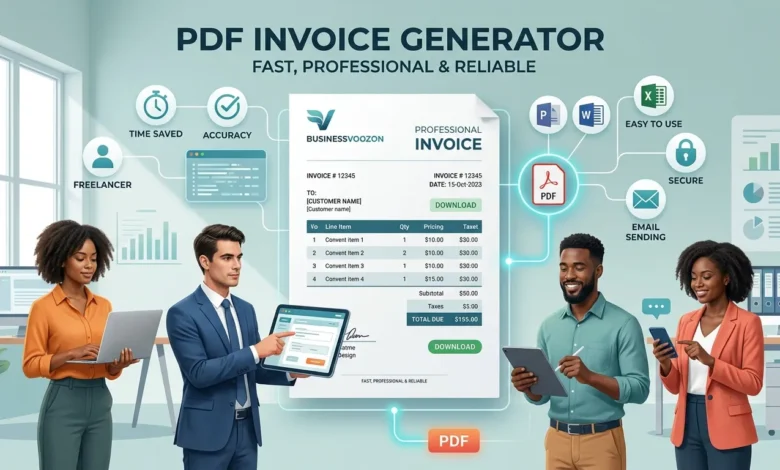
A PDF invoice generator is a tool that turns your billing details into a formatted invoice and saves it as a PDF file. Instead of building an invoice from scratch in Word or Excel, you fill in a form, review the result, and download a file that’s ready to send.
A complete PDF invoice usually includes:
- Invoice number
- Invoice date and due date
- Your business information
- Customer details
- Products or services, with quantity and price
- Taxes or discounts
- Total amount due
- Payment terms
Who Uses a PDF Invoice Generator
Different people rely on it for different reasons, but the underlying need is the same: get paid without a formatting headache.
Freelancers use it for one-time projects, hourly work, or monthly retainers, without needing full accounting software. A freelance invoice generator covers most of what a freelancer needs on its own.
Small businesses use it to send invoices that look consistent, no matter which employee sends them.
Consultants use it to list completed work, project fees, and payment terms clearly for each client.
Agencies use it to bill for multiple services in a single, organized document.
Contractors use it to break down labor and material costs on itemized invoices.
Ecommerce sellers use it to generate order invoices and keep accurate sales records.
Why PDF Beats Word or Excel for Invoices
| Feature | Word | Excel | |
|---|---|---|---|
| Keeps formatting on any device | Yes | No | No |
| Easy to print correctly | Yes | Usually | Sometimes |
| Hard to edit by accident | Yes | No | No |
| Works the same in every email client | Yes | Usually | Usually |
A Word file can shift fonts, spacing, or page breaks depending on what program opens it. A PDF stays exactly as you designed it, whether your customer opens it on a laptop, phone, or tablet. It’s also harder for a customer to accidentally edit your totals before printing it.
What Every PDF Invoice Should Include
| Field | Required | Why |
|---|---|---|
| Invoice number | Yes | Prevents duplicate or lost records |
| Invoice date | Yes | Shows when it was issued |
| Due date | Yes | Tells the customer when payment is expected |
| Business info | Yes | Identifies who issued the invoice |
| Customer info | Yes | Identifies who owes payment |
| Products or services | Yes | Explains the charge |
| Quantity and unit price | Yes | Breaks down the total |
| Taxes | If applicable | Shows VAT, GST, or sales tax separately |
| Total amount | Yes | The final number owed |
| Payment terms | Yes | Explains how and when to pay |
A missing due date or an unclear total is one of the most common reasons payment gets delayed. Review every field before you send it.
Common Mistakes That Slow Down Payment
Reusing an invoice number. Every invoice needs a unique number. Duplicates make bookkeeping harder and can confuse your customer about which invoice they’re paying.
Leaving out the due date. If a customer doesn’t know when payment is expected, they’ll often assume there’s no rush.
Skipping a final review. Wrong prices, a misspelled company name, or a missing tax line are easy to miss if you download the PDF without checking it first.
Forgetting payment instructions. State exactly how you accept payment. A customer who doesn’t know how to pay you will delay paying you.
Tips Before You Download
Use a clear file name instead of the default “Invoice.pdf”. Something like INV-2026-014.pdf or Invoice-JohnSmith.pdf is easier for both of you to find later.
Keep the layout simple. Skip decorative colors or large images. A clean invoice is easier to read and prints better.
Save a copy for your own records every time. It makes answering customer questions and preparing for tax season much easier later.
Why Use BusinessVoozon’s Invoice Generator
Plenty of invoice tools require an account, a subscription, or software you have to install before you can download a single invoice. Our Invoice Generator skips all of that.
Fill in your details, review the invoice, and download the PDF. That’s the entire process. It works on desktop, tablet, or phone, and the layout stays print-ready every time.
FAQs
Is this PDF invoice generator free to use?
Yes. You can create and download a professional PDF invoice without paying for invoicing software.
Can I download my invoice as a PDF?
Yes. Once your invoice details are complete, you can download it as a print-ready PDF file.
Can I email a PDF invoice to my customer?
Yes. PDF is one of the most widely used formats for invoices because it looks the same in every email client and on every device.
Why is PDF better than Word or Excel for invoices?
A PDF keeps its formatting no matter what device or software opens it. Word and Excel files can shift layout or get accidentally edited after you send them.
What should every PDF invoice include?
Your business information, customer details, invoice number, invoice date, due date, an itemized list of products or services, applicable taxes, payment terms, and the total amount due.
Can freelancers use a PDF invoice generator?
Yes. It covers one-time projects, hourly billing, and recurring retainers equally well.
Can I print a PDF invoice?
Yes. PDF files are built to print consistently, keeping the same layout across different printers.