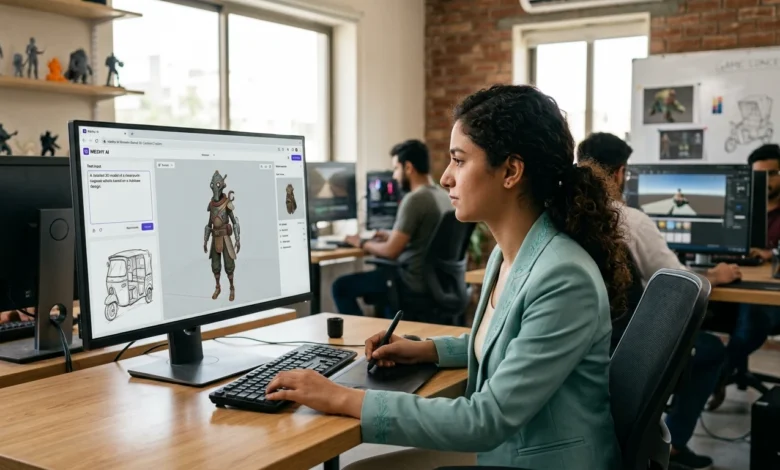
Creating 3D models traditionally requires specialized software and significant design experience. Meshy AI simplifies that process by generating 3D assets from text prompts or reference images, making it easier for designers, developers, artists, and beginners to produce models in minutes instead of spending hours building them manually.
The platform focuses on AI-assisted 3D creation rather than general AI chat or image generation. Whether you need game assets, product prototypes, AR/VR objects, or models for 3D printing, it provides tools that take an idea and convert it into a usable 3D file. It also includes AI texturing, animation, and multiple export formats for popular design software.
Table of Contents
What Is Meshy AI?
Meshy is a browser-based AI platform built specifically for creating and editing 3D content. Instead of modeling every object manually, users describe what they want with a text prompt or upload an image, and the platform generates a textured 3D model automatically.
Beyond generation, it also provides tools for improving textures, preparing models for animation, refining geometry, and exporting files for game engines, design software, or 3D printing. Because everything runs through a web interface, there’s no need to install complex modeling software before getting started.
Also Read: Chai AI What It Is, How It Works, and How to Use It
What Can You Create?
The platform is designed around practical 3D workflows rather than a single generation tool.
One of its most popular capabilities is Text to 3D, where a written description is converted into a complete 3D model. Instead of starting with a blank workspace, users simply describe an object and let the AI generate the first version.
Another workflow is Image to 3D, which creates models from photographs, sketches, concept art, or product images. This is useful when an existing visual already represents the object you want to recreate.
Additional tools include AI texturing for applying materials, animation features for compatible character models, and image generation to create references before converting them into 3D assets. The platform also includes a 3D Agent that helps simplify different parts of the creation process.
How the Workflow Works
The creation process follows a straightforward sequence. After signing in, choose whether to start with Text to 3D or Image to 3D. If you’re creating a model from scratch, write a detailed prompt describing the object, style, colors, and important details. If you already have artwork or a product photo, upload the image instead.
The platform then generates an initial model that can be reviewed and refined. Users can regenerate results, improve textures, or adjust details until the asset matches their requirements. Once satisfied, the finished model can be exported in a format suitable for its intended project.

Creating Models from Text
The text-based workflow is ideal when starting with only an idea.
A detailed prompt generally produces better results than a short description. Instead of writing “chair,” describing the material, shape, colors, and style helps generate a more accurate model. After generation, users can review the mesh, regenerate if necessary, and apply textures before downloading the final asset.
This approach is commonly used for creating game props, environmental objects, furniture, product concepts, and decorative assets without manual modeling.
Turning Images into 3D Models
For users who already have a reference image, the image-based workflow often provides faster results.
A product photo, hand-drawn sketch, digital illustration, or concept artwork can all serve as the starting point. The platform analyzes the uploaded image and creates a three-dimensional version that can be refined before export.
Many designers use this workflow when converting product concepts into presentation models or preparing assets for visualization and prototyping. Multi-view references generally improve accuracy because they provide additional detail about the object’s shape.
If you’re exploring other creative AI platforms, you may also like: AI Image What It Is and How It Works
Is Meshy AI Free?
New users can explore the platform without purchasing a subscription. The current free plan includes 100 credits each month, allowing users to test different generation tools before deciding whether a paid plan is necessary. Credits reset monthly and do not roll over to the next period.
The free plan also has download and licensing limitations. Models generated under the free tier use a CC BY 4.0 license, which permits commercial use with attribution, while certain downloads and advanced features require a paid subscription. Paid plans provide more credits, private licensing, API access, and additional export capabilities for professional workflows.
What Can You Export?
Once a model is complete, it can be exported in several widely used 3D formats, making it compatible with different design and development workflows. Supported formats include OBJ, FBX, GLB, USDZ, STL, and BLEND, allowing creators to continue editing in professional software or import assets into other applications.
Each format serves a different purpose. OBJ and FBX are commonly used in 3D modeling software, GLB is popular for web-based 3D experiences, USDZ works well with augmented reality projects on Apple devices, STL is suitable for 3D printing, and BLEND allows further editing in Blender.
Because multiple export options are available, the same model can often be reused across different projects without rebuilding it from scratch.
Who Should Use Meshy?
The platform is designed for anyone who regularly works with 3D content, but it’s especially useful for creators who want to reduce modeling time.
Game developers can quickly generate props, environment assets, and prototype objects before refining them inside engines such as Unity or Unreal Engine. Product designers can transform concepts into presentation-ready models without spending hours on manual modeling.
Architects and visualization professionals can create furniture, decorative objects, and scene assets more efficiently, while AR and VR developers can build models suitable for immersive experiences. Designers preparing files for 3D printing can also use generated assets as a starting point before making technical adjustments.
Even beginners with little experience in traditional modeling software can experiment with ideas using simple text descriptions or reference images.
Current Limitations
Although the platform can significantly speed up 3D creation, it isn’t a complete replacement for professional modeling software.
Very detailed objects sometimes require manual refinement after generation, especially when precise geometry or engineering-level accuracy is needed. Complex mechanical parts, realistic human anatomy, or production-ready game assets may still need additional editing before final use.
The free plan also includes monthly credit limits, and some advanced features are reserved for paid subscriptions. Depending on the complexity of a prompt, generating multiple variations may consume credits quickly.
Understanding these limitations helps set realistic expectations, particularly for commercial projects where models often go through additional optimization before publication.
FAQs
What is Meshy AI used for?
It is used to generate 3D models from text descriptions or reference images, create textures, and prepare assets for games, visualization, animation, and design projects.
Can it create 3D models from text?
Yes. The Text to 3D feature generates textured 3D assets from written prompts describing an object or scene.
Can I turn an image into a 3D model?
Yes. The Image to 3D workflow converts photographs, sketches, illustrations, or concept art into editable 3D models.
Which file formats can I export?
Common export formats include OBJ, FBX, GLB, USDZ, STL, and BLEND, making models compatible with many popular 3D applications.
Is it suitable for beginners?
Yes. The interface is designed to simplify 3D creation, allowing beginners to generate models without learning complex modeling software first.
Conclusion
Meshy AI makes 3D content creation faster by allowing users to generate models from either text prompts or reference images. Instead of spending hours building every object manually, creators can produce a starting model within minutes and refine it for their specific project.
Its combination of text-to-3D generation, image conversion, AI texturing, animation tools, and multiple export formats makes it useful for game development, product visualization, architecture, 3D printing, and creative design workflows. While professional editing may still be necessary for highly detailed projects, the platform provides an efficient way to accelerate the early stages of 3D production.